The review workflow
1. Upload a complaint
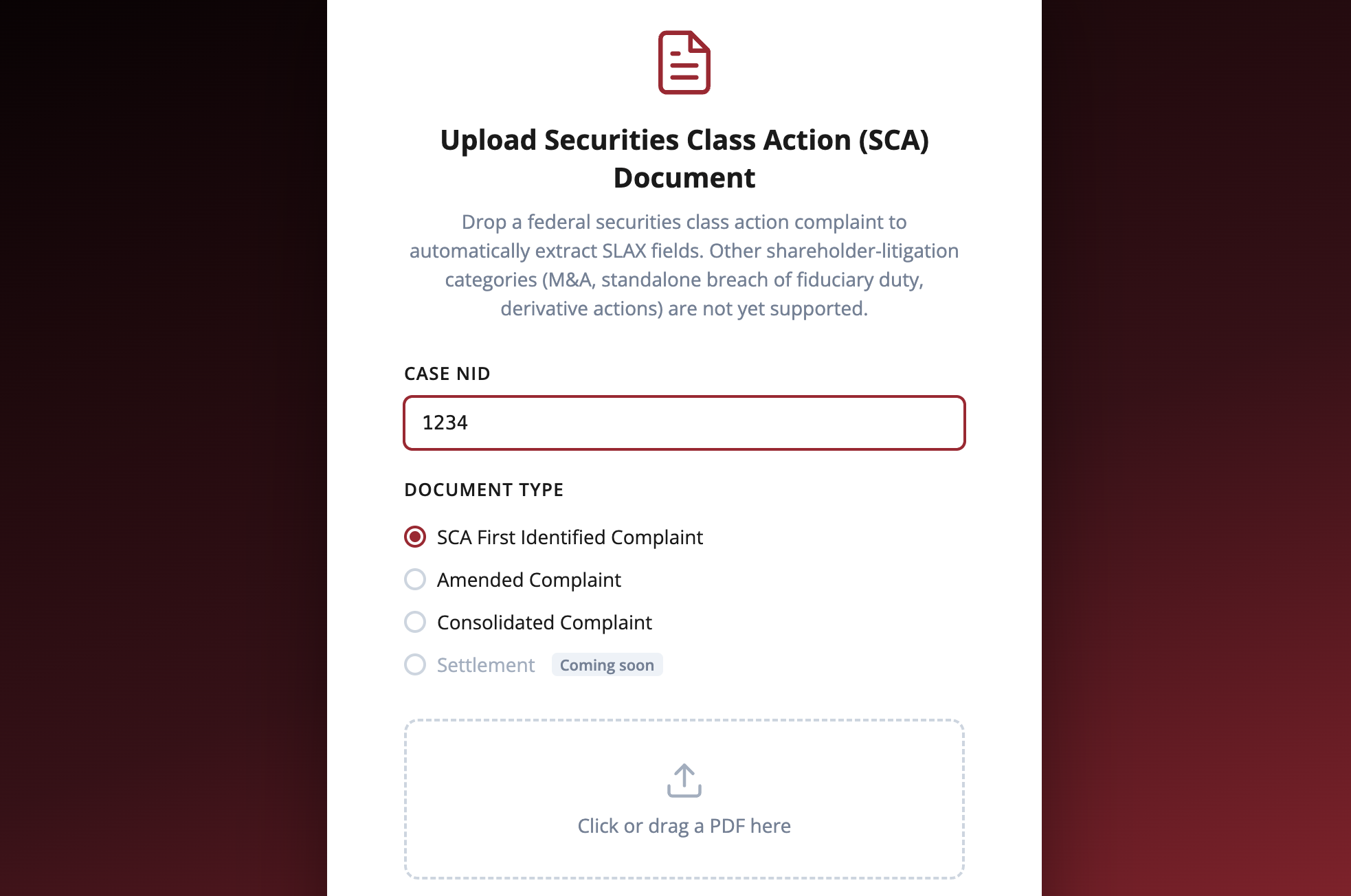
Drag in a securities class-action complaint (a PDF). InsighterTraining accepts the first identified complaint for a case.
Under the hood: image-only scans are detected and rejected, because the extractor needs a real text layer to quote evidence from.
2. AI extraction
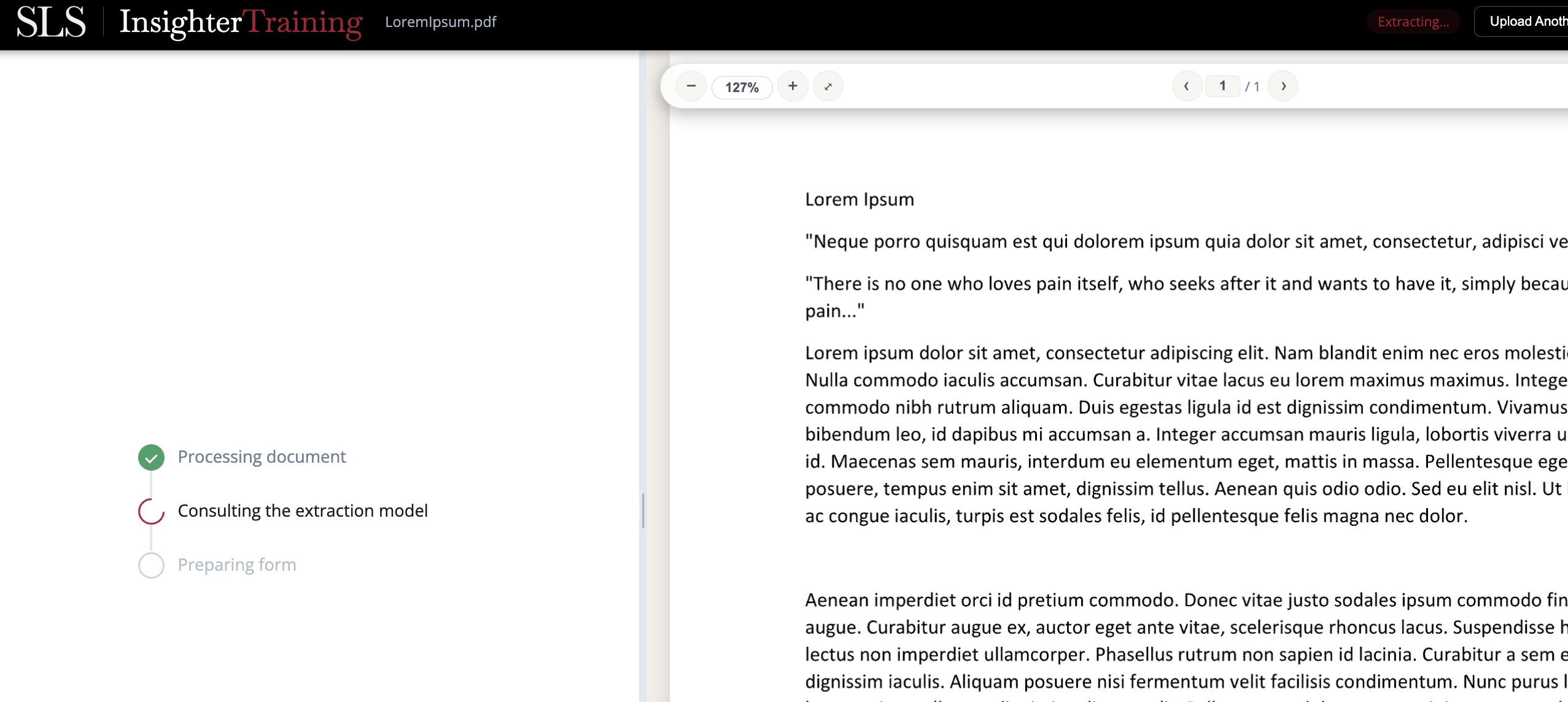
The extraction model reads the filing and fills the structured fields: class period, violations, defendants, disclosures, and counsel. This takes a few seconds.
Under the hood: the model returns JSON with a verbatim evidence quote for each field, so every value is traceable back to a passage in the document.
3. Review each field
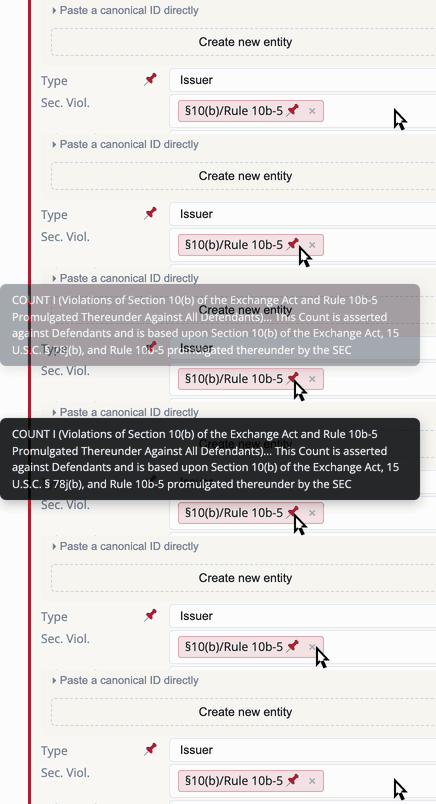
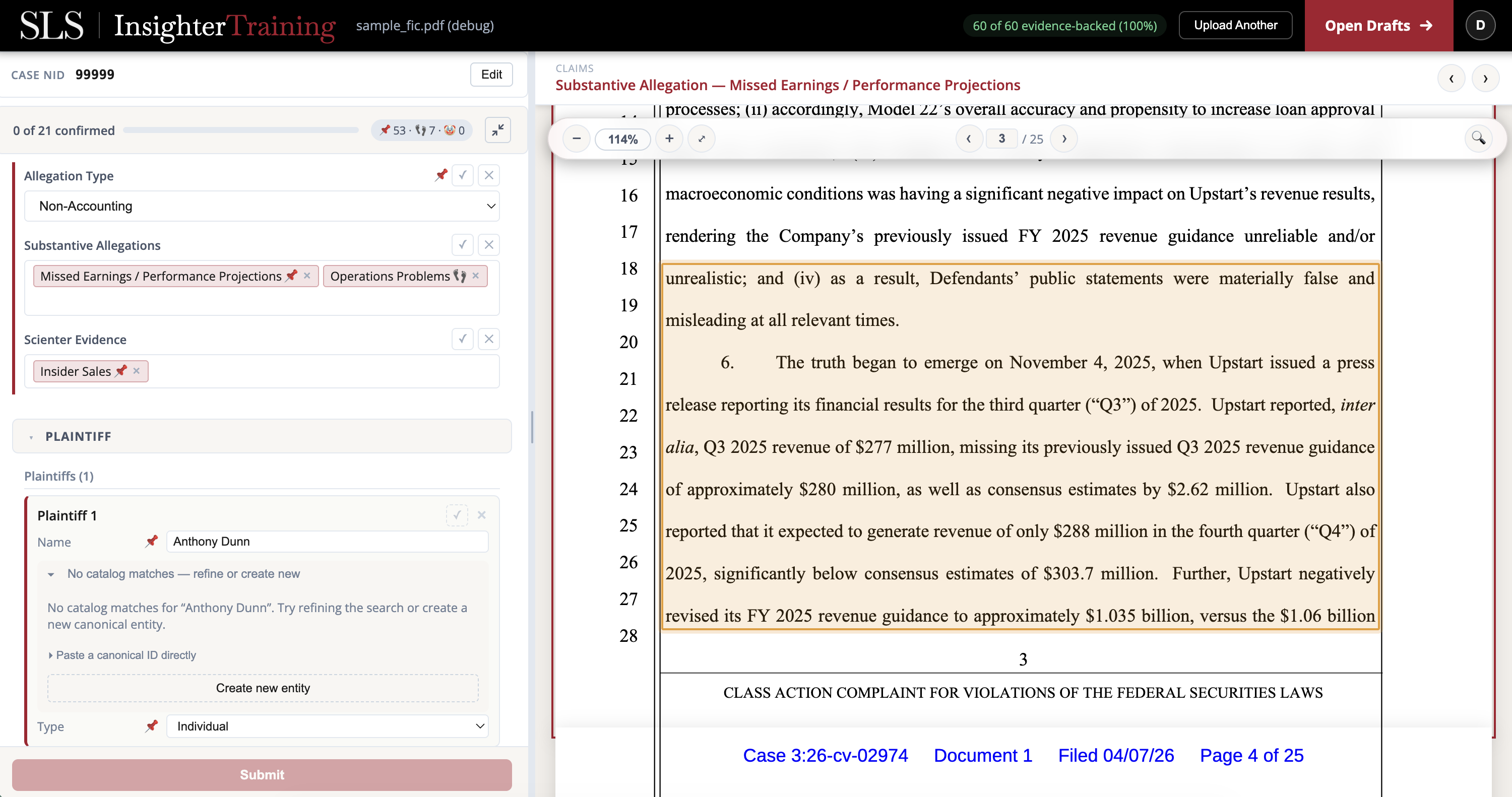
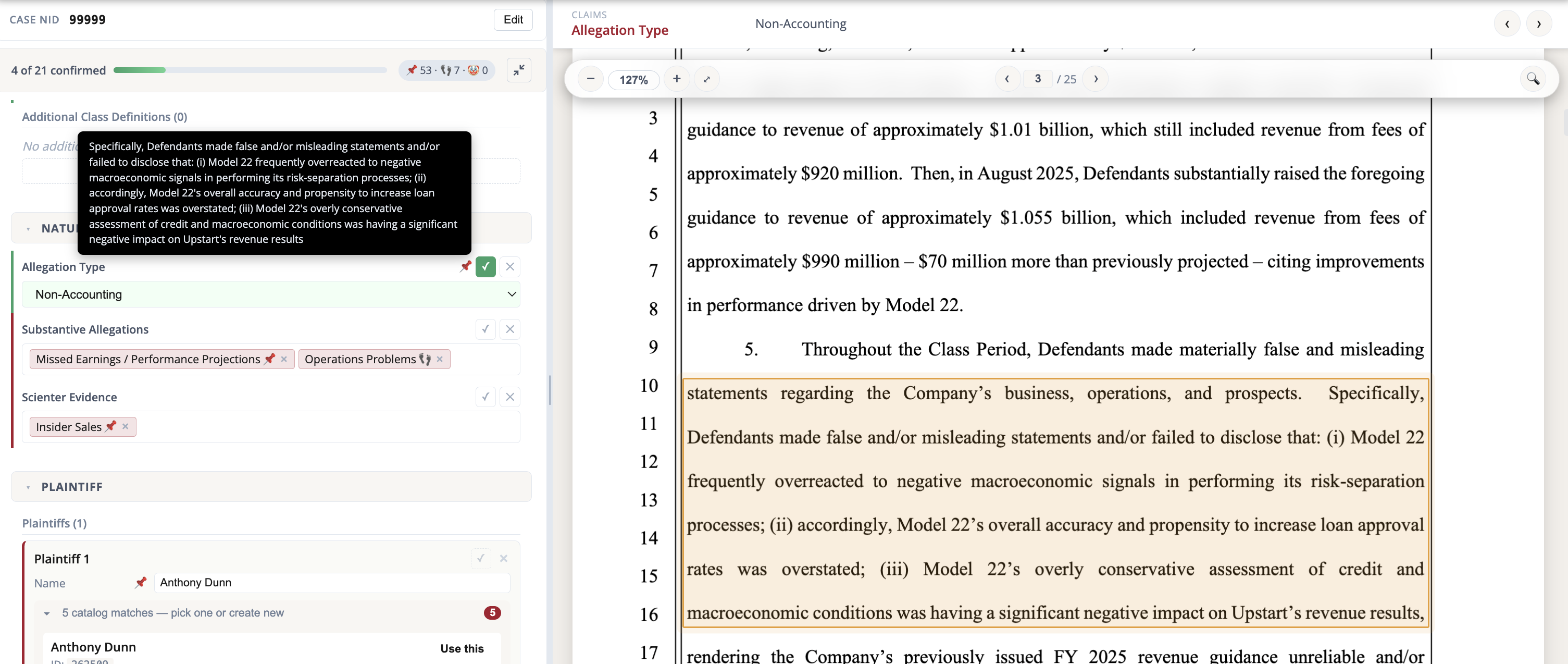
This is the core of the job. Every AI-filled value must be confirmed or rejected against the source. Click a field and the PDF jumps to the exact passage it came from and highlights it. Icons show each value's origin (located in the PDF, snippet-only, manually entered, edited, or unsupported); see the icon legend at the end.
4. Match entities
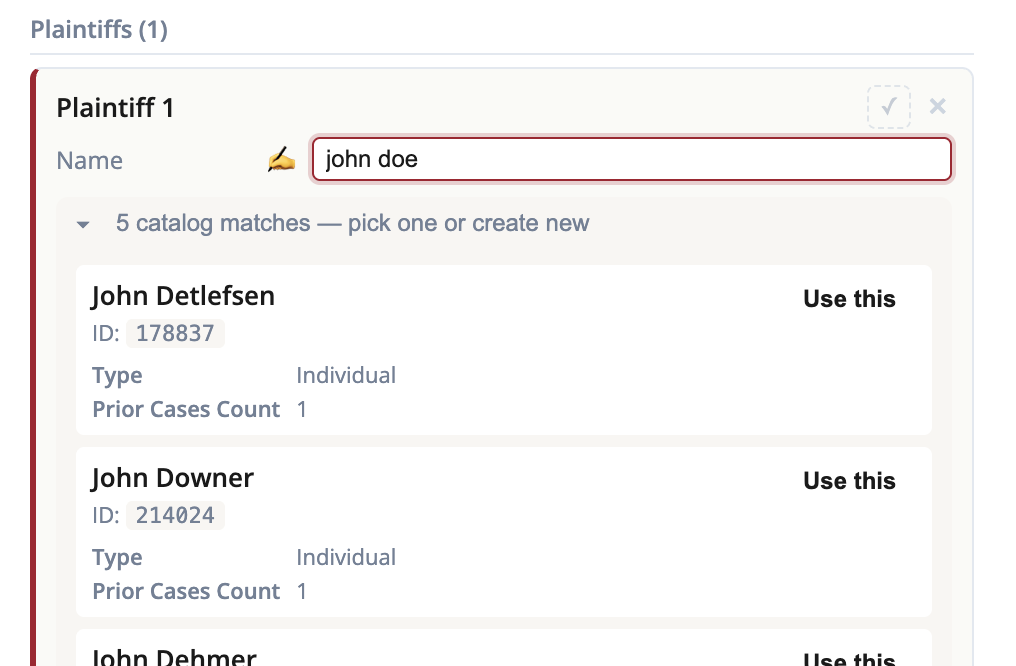
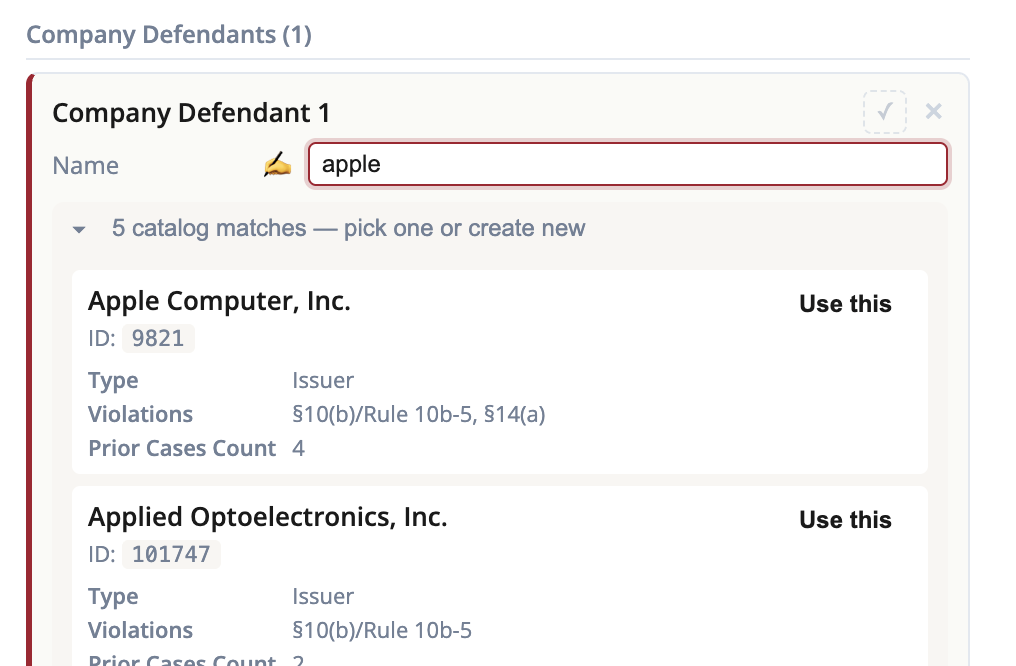
For each plaintiff, firm, and defendant, a picker suggests existing catalog entities so you can link the row to a canonical record, or affirm "Create new". Linking keeps duplicate entities from piling up.
Under the hood: names are fuzzy-matched (and matched on canonical ID, CIK, and ticker) against a cached snapshot of a roughly 38,000-entity catalog.
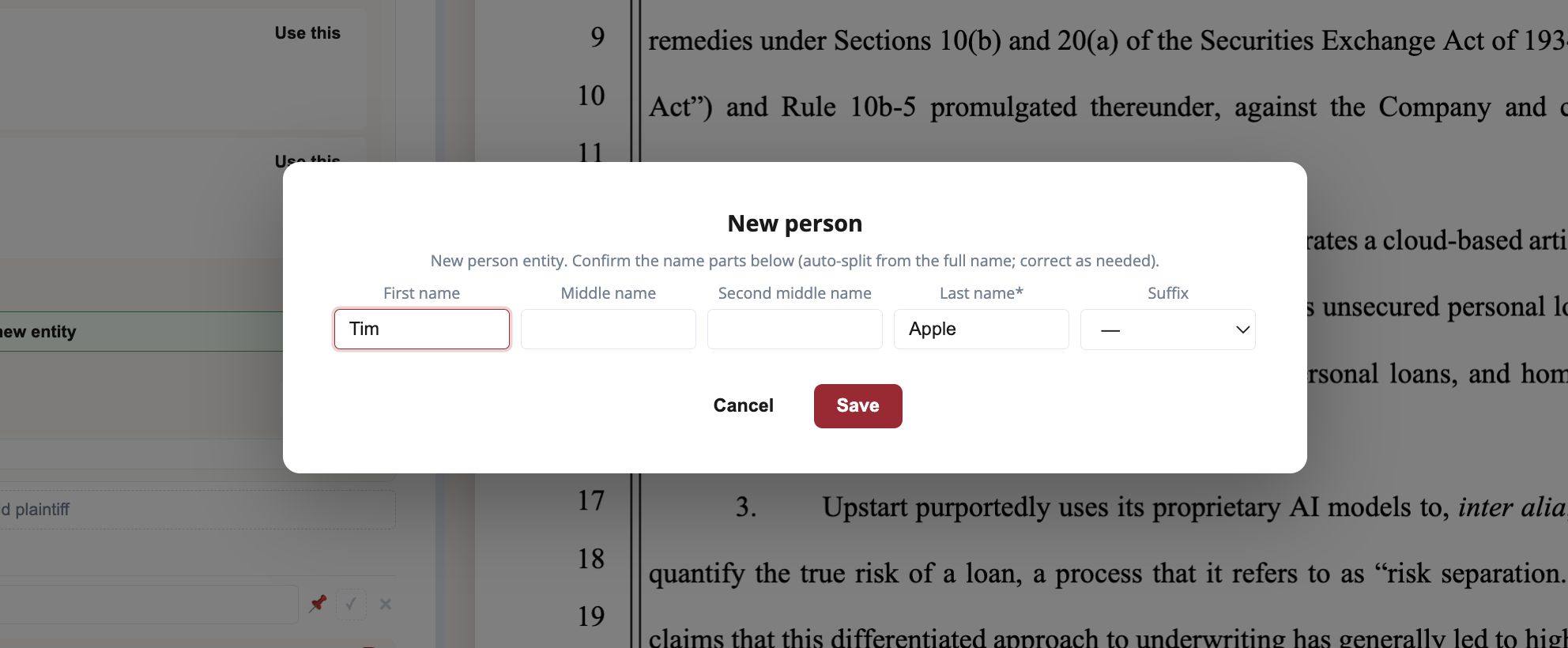
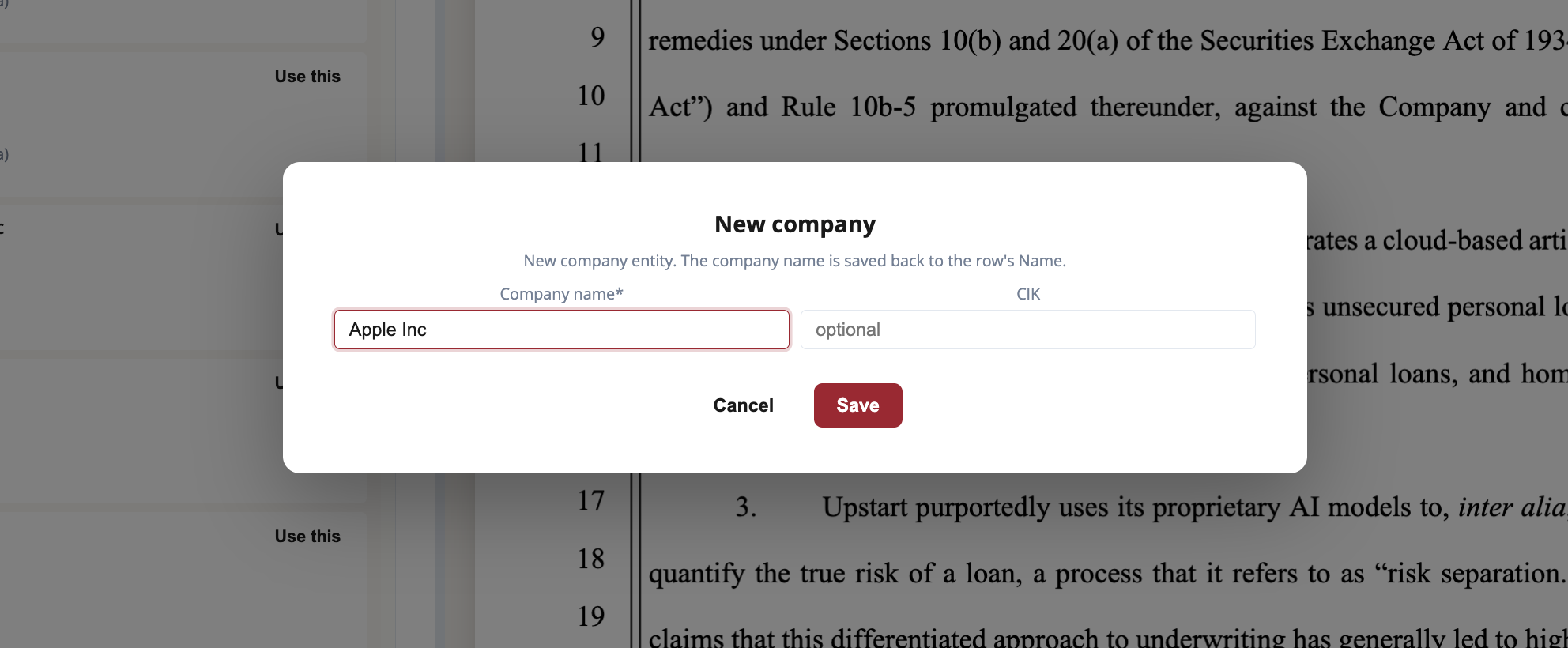
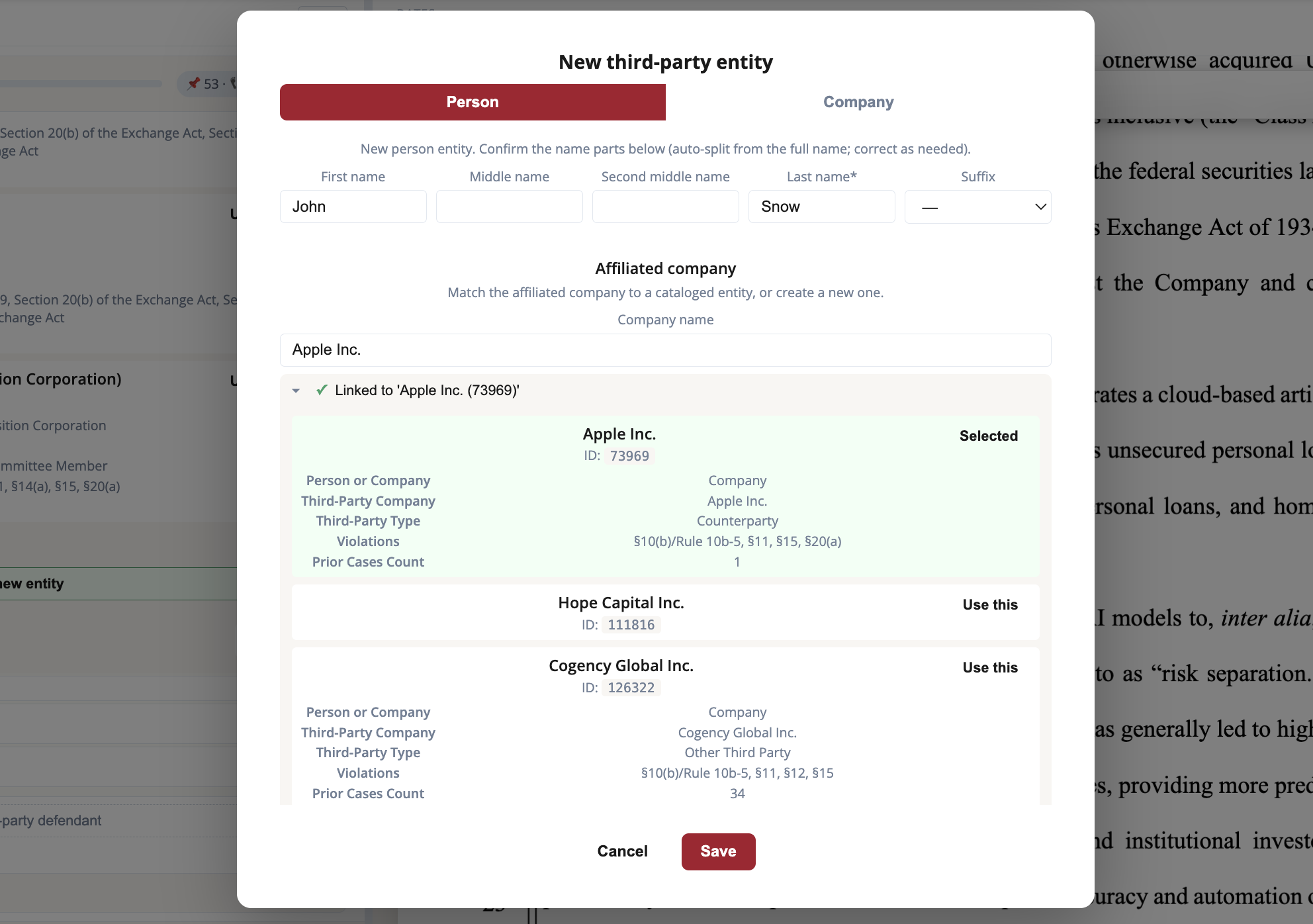
When no catalog entity fits, "Create new" opens a structured form rather than accepting a bare name, so easy-to-miss fields like a CIK still get filled in. The form adapts to what you are creating:
- A person (an individual plaintiff, or a director or officer defendant) gets a name sub-form. Director and officer defendants also carry a CIK.
- A company gets an editable company name plus a CIK.
- A third-party defendant gets Person and Company tabs. The person tab nests its own affiliated-company picker, so you can link (or create) the company that individual is tied to. The company tab adds a defendant company reference.
5. Resolve conflicts
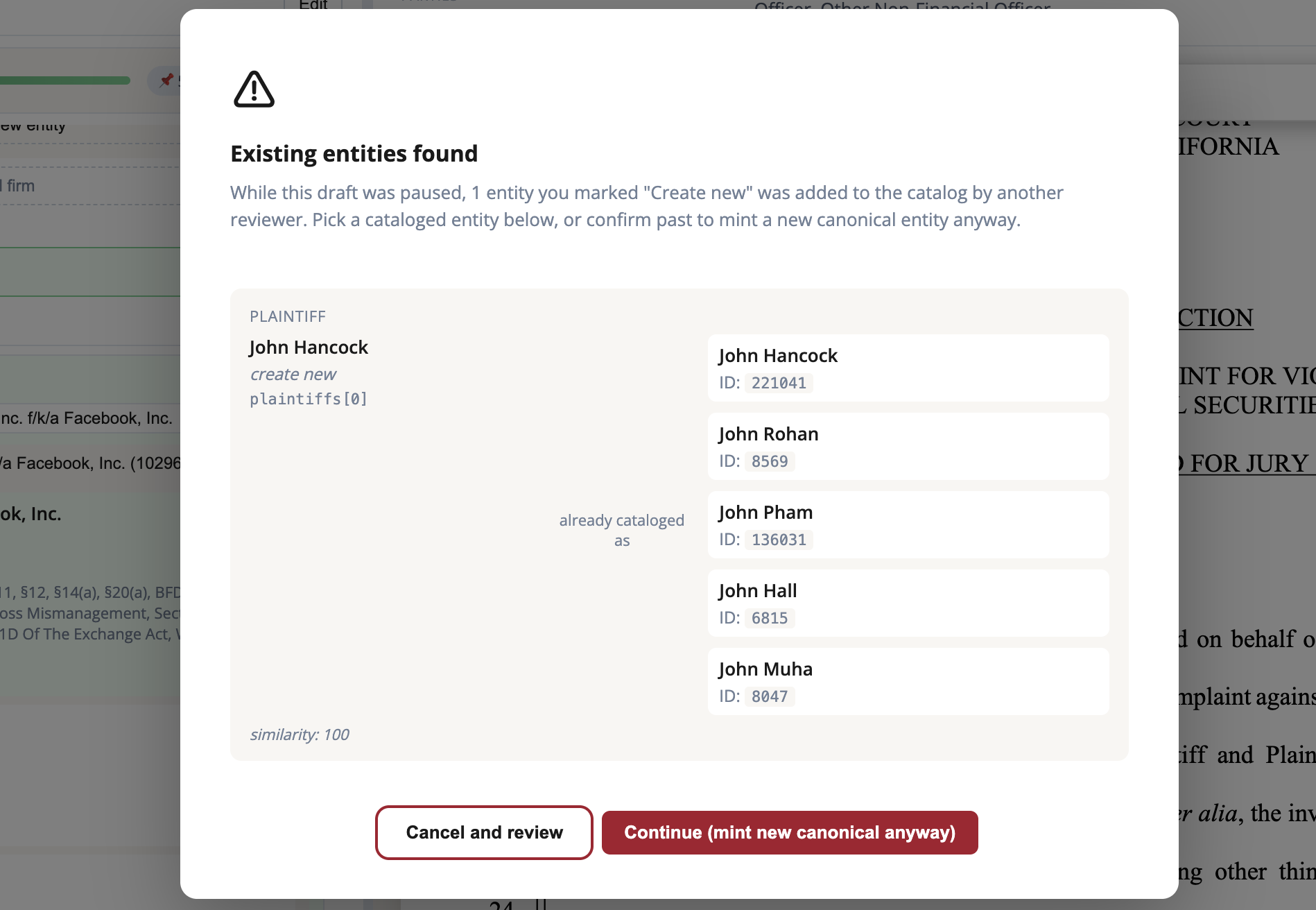
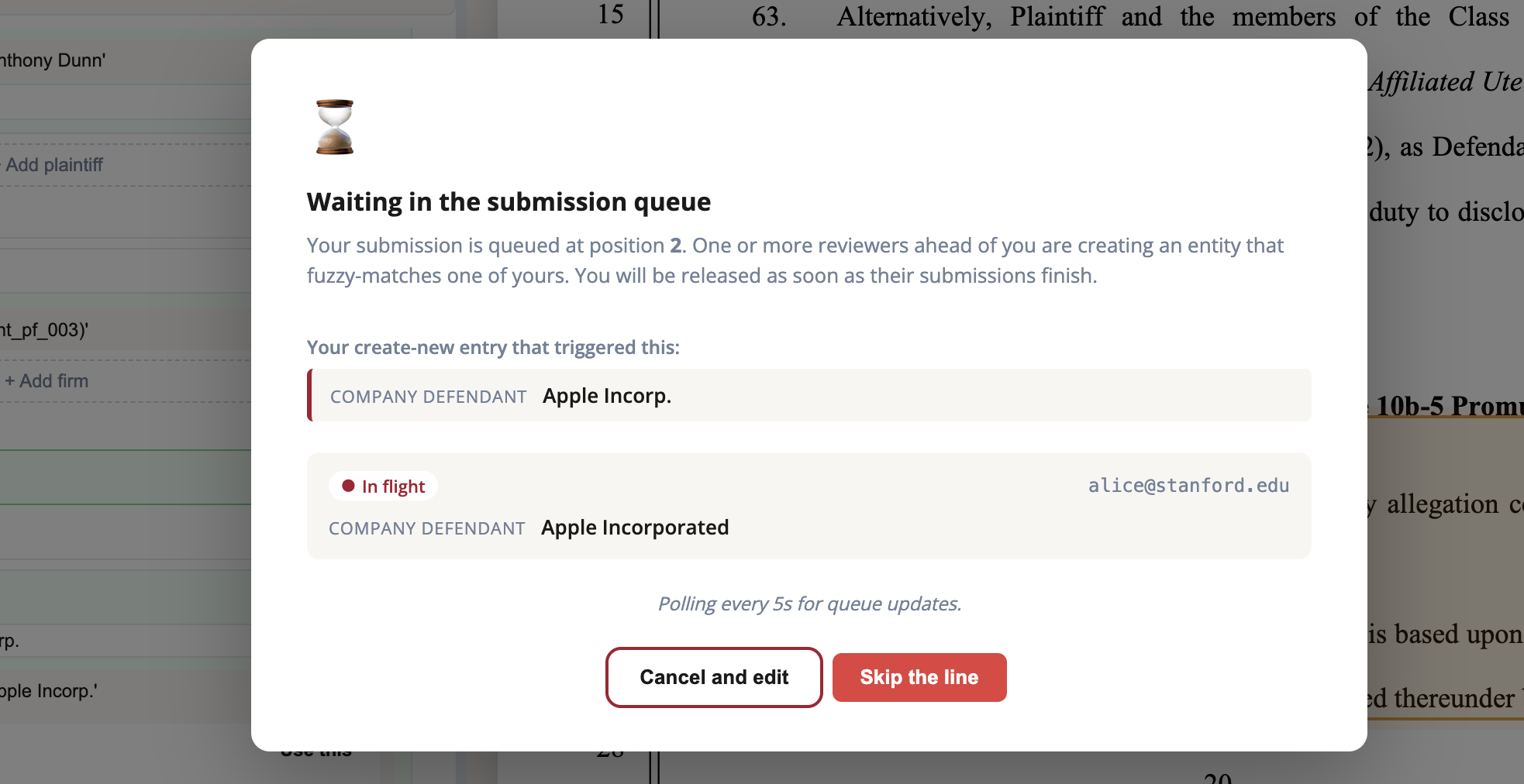
Two screens you will occasionally see. If the catalog gained a matching entity while your draft sat open, a re-check modal surfaces it at submit so you can link instead of creating a duplicate. And if another reviewer is creating the same new entity at the same time, your submission queues rather than racing, with options to cancel and edit, skip the line, or wait for the other one to finish.
6. Submit
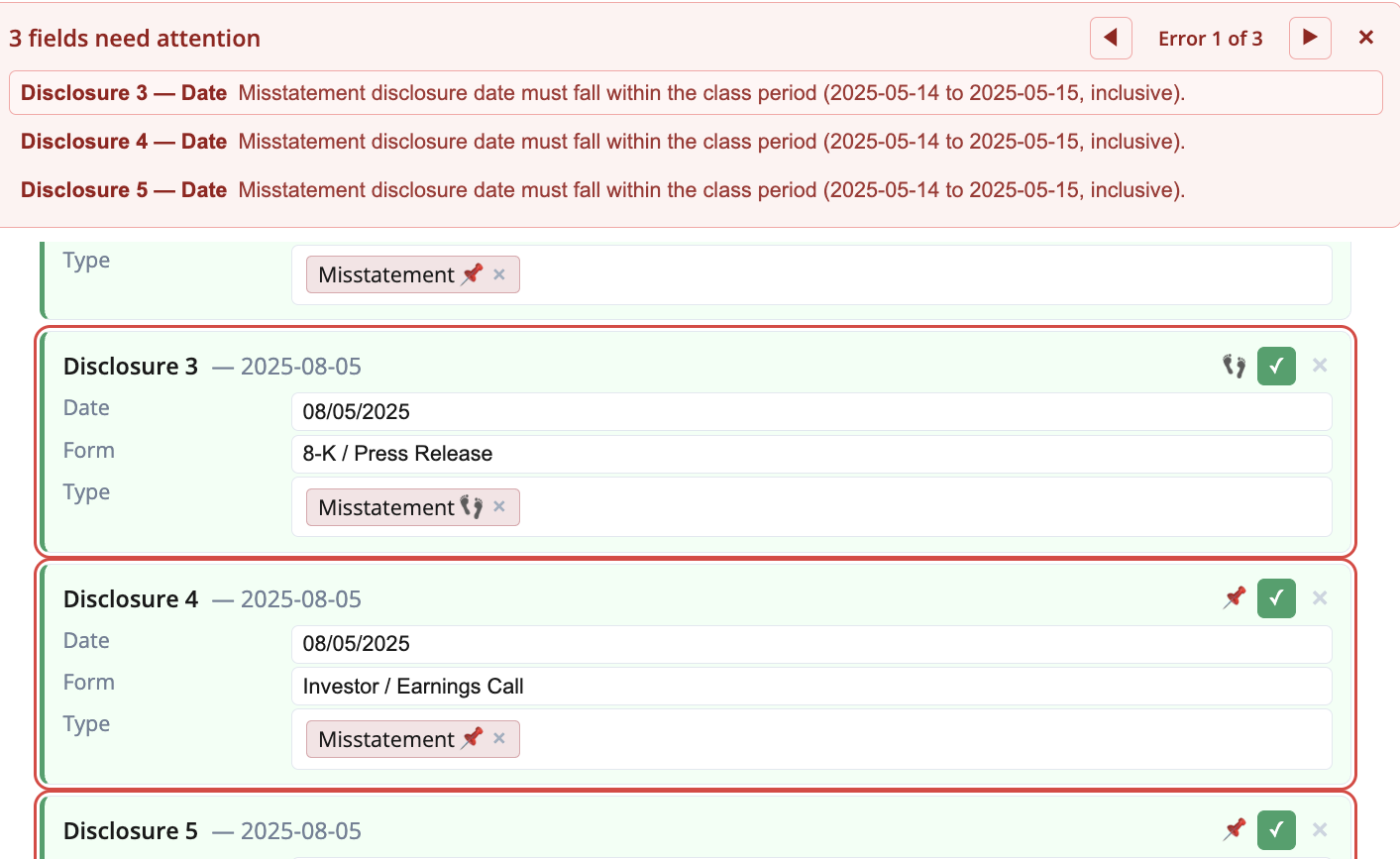
When every field is confirmed, submit. If the validator finds problems, a worklist appears at the top of the form with one row per issue and a prev/next stepper that jumps you straight to each field to fix.